
PayNow Instructions


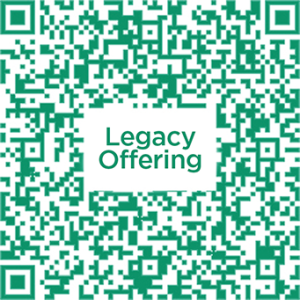
Step 1
Save the respective the QR codes and upload it in your bank app from your photo library after selecting “Scan & Pay/ QR Pay” or select “PayNow“, under Unique Entity Number (UEN), enter the respective UEN number
- Tithes & Offerings: 197802910WGF1
- Missions Faith Pledge: 197802910WMF1
- Legacy Offering: 197802910WBFC
Step 2
Enter the amount you wish to give and the reference number accordingly
- Tithes & Offerings: GF
- Missions Faith Pledge: Your MFP No. (e.g. MF123A)
- Legacy Offering: Your Pledge No. (e.g. LOxxxx)
Step 3
Select Next, review your transaction and select Confirm.
Internet Banking Information
Transfer your giving easily through your bank’s funds transfer service
POSB/DBS & UOB
Step 1: Login to your bank’s internet banking website/app and select “Pay Bills”.
Step 2: Select “Billing Organisation”. Under Billing Organisation, search for “Victory Family Centre” and select it. Select Next.
Step 3: Enter the bill reference accordingly and the amount you wish to give. Select either immediate or future transfer.
- Tithes & Offerings: GF
- Missions Faith Pledge: Your MFP No. (e.g. MF123A)
- Legacy Offering: Your Pledge No. (e.g. LOxxxx)
Step 4: Select Next, review your transaction and select Submit.
For other banks
Login to your bank’s internet banking website/app and add Victory Family Centre as a funds transfer payee. Fill in the following details:
Bank: United Overseas Bank
Account Name: Victory Family Centre or VFC
Account Number: 450-309-722-7
Bank Code: 7375 | Branch Code: 001
Comments/Reference: “GF” (for tithes & offerings), “Your Missions Faith Pledge No., e.g. MF123A” or “Your Pledge No., e.g. LOxxxx”
Note: GF stands for General Fund (Tithes & Offerings), MF stands for Missions Fund (Missions Faith Pledge/MFP) and BFC stands for Building Fund Collection (Legacy Offering).
All Giving to the Church is voluntary and non-refundable.
For enquiries or issues, please contact [email protected] for assistance.